Very few churches can replace their entire sound, video and lighting system in one go. Budgets come from building funds, special offerings or a line item that grows a little each year. The good news is that an AV upgrade can be done in stages without wasting money, as long as the stages are planned together from the start.
This guide explains how we help churches plan a phased AV upgrade: what to do first, what to leave for later, and how to avoid buying equipment twice.
Table of Contents
ToggleWhy upgrading audio and video together matters
It is common for a church to upgrade one system at a time with no shared plan: new speakers one year, a camera the next, then an LED wall. Each purchase might be good on its own, but the pieces often do not work together. The new camera has no clean feed for the stream, the LED wall needs a processor the switcher cannot drive, or the audio console has no spare outputs for the livestream mix.
Planning audio, video, lighting and streaming as one system, even if you build it in phases, means each step fits the next.
Step 1: assess what you have
Start with an honest review of the current system and how it is used:
- What works and what does not? Ask the people who run Sunday. They know which problems come back every week.
- What is at end of life? Old analog consoles, wireless microphones in frequency bands that are no longer legal to use, and projectors with dim lamps are common candidates.
- How is the room changing? Growth, a new service style, more online viewers or a planned renovation all affect the design.
- What infrastructure exists? Cable paths, conduit, power circuits, network and rigging points often decide what is possible.
Step 2: design the finished system first
Before buying anything, draw up the system you want in three to five years. It does not need every brand and model chosen, but it should show:
- Speaker types and positions for even coverage across the room.
- The audio console and how microphones, the stage and the stream connect to it.
- Video: screen or LED wall size, cameras, the switcher and how video gets to the stream, lobby and overflow rooms.
- Lighting positions, control and power.
- The network and cabling that link everything.
This “end state” design is what prevents buying things twice. Each phase installs part of it.
Step 3: put infrastructure in early
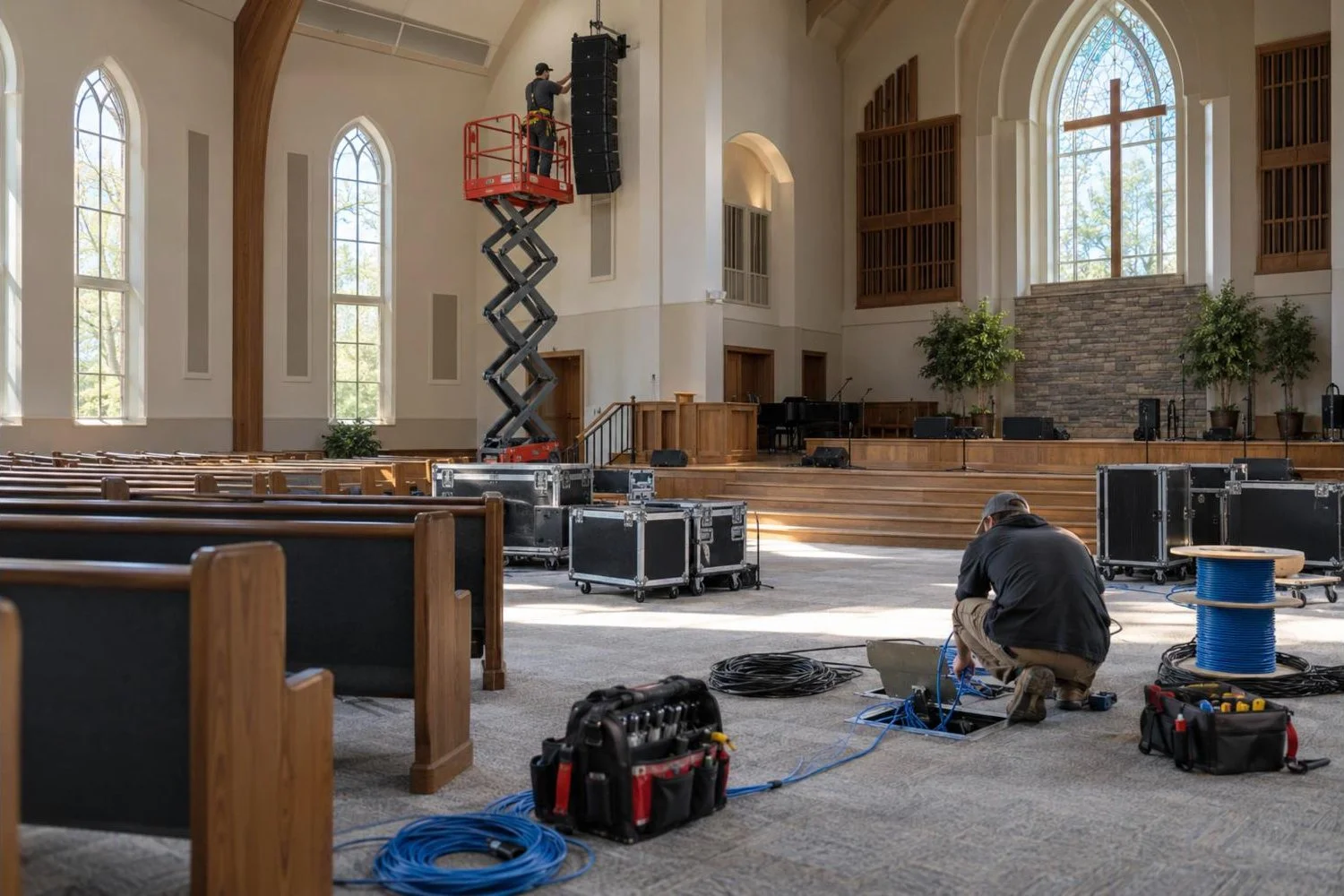
The cheapest time to run cable is before the walls are closed, the ceiling is finished or the carpet is laid. Even if the equipment comes later, install the infrastructure early:
- Conduit and cable paths between the stage, the booth and equipment racks.
- Network cabling and fiber for audio (for example Dante), video and lighting data.
- Dedicated power circuits for audio, video and lighting.
- Rigging points for speakers, lights and any future LED wall, checked by a structural engineer where needed.
Running cable once, properly, during the first phase is one of the best investments a church can make.
Step 4: choose the order of phases
There is no single right order, but this sequence works for many churches:
| Phase | What it usually includes | Why this order |
|---|---|---|
| 1. Infrastructure and audio core | Cabling, power, digital console, stage boxes, speaker system or speaker processing | Everyone hears the sermon. Clear speech is the top priority in most rooms. |
| 2. Microphones and monitoring | Wireless microphones in legal bands, in-ear monitors for the band | Reduces stage noise and feedback, which improves the whole mix. |
| 3. Video and streaming | Cameras, switcher, streaming encoder, dedicated stream mix | Builds on a clean audio feed; the stream is only as good as its audio. |
| 4. Display | LED wall or new projection, lobby and overflow screens | Uses the video system and switcher already in place. |
| 5. Lighting | Front light first, then back light, color and control | Makes the cameras and stream look their best. |
Your order may differ. If the projector has failed, display might jump to phase one. The design from Step 2 makes it possible to change the order without wasting money.
Step 5: budget each phase realistically
When budgeting, include more than the equipment price:
- Installation labor, including cable runs and rigging.
- Programming and commissioning (console scenes, speaker tuning, lighting looks).
- Training for your volunteer team.
- Permits and any electrical or structural work.
- A contingency of around 10 percent for surprises found during installation.
Ask for itemized quotes for each phase, so you can see exactly where the money goes and compare options fairly.
Common mistakes to avoid
- Buying equipment without a plan for how it connects to the rest of the system.
- Choosing the cheapest option for parts that are expensive to replace later, such as cabling, speakers and rigging.
- Spending the whole budget on visible equipment and leaving nothing for setup and training.
- Ignoring room acoustics. Speakers cannot fix a very echoey room on their own.
- Skipping the volunteer handover, so new equipment is used at a fraction of its ability.
How Unity Logics helps churches plan upgrades
We design and install complete church AV systems across Southern California, including sound, live streaming, lighting and LED walls. For churches upgrading over time, we start with a site visit and a full-system design, then quote each phase separately so you can build toward the finished system as funds allow.
See our church AV installation page, or read how to choose a church AV integrator.
Frequently asked questions
What should a church upgrade first: audio or video?
In most churches, audio comes first, because clear speech matters most to everyone in the room and the livestream depends on a good audio feed. The exception is when a display or projector has failed and the congregation cannot see lyrics or slides.
How long should a church AV system last?
Cabling, conduit and well-chosen speakers can last 15 years or more. Consoles, cameras and computers usually need replacing sooner, often every 7 to 10 years, as technology changes.
Can we reuse our existing equipment?
Often, yes. Speakers, amplifiers and some microphones can stay in service during early phases. A good design notes what can be kept and what should be replaced, and when.