Good worship lighting does two jobs. It lets everyone in the room see faces clearly, and it supports the mood of the service without pulling attention to itself. Most churches only notice lighting when it is wrong: a pastor squinting into a glaring spotlight, a worship leader lost in shadow, or a livestream where every face looks orange.
This guide covers the basics we walk churches through before any fixtures are bought: what each layer of light does, how to light for both the room and the camera, and how to keep the system simple enough for volunteers to run on Sunday morning.
Table of Contents
ToggleStart with the job, not the fixtures
Before talking about brands or how many lights you need, answer three questions:
- Who needs to be seen? Usually the preacher, the worship leader and the vocalists. Instrumentalists can sit in less light.
- Do you stream or record? Cameras are far less forgiving than eyes. If you stream, the camera’s needs set the minimum light level and color quality.
- Who will run it? A system that needs a trained lighting designer every week will end up on one static look. Plan for your real volunteer team.
The four layers of worship lighting
1. Front light (key light)
Front light is the most important layer and the one most churches get wrong. It lights faces from the audience side so people, and cameras, can see expressions.
- Hang fixtures so they hit the stage at roughly a 30 to 45 degree angle, from both the left and right. Light from a single position straight on flattens faces; light that is too steep puts the eyes in shadow.
- Cover every position where someone speaks or sings, including the spot where announcements happen and the baptistry if you have one.
- Use soft-edged fixtures with good color quality. Look for a high CRI or TLCI rating (90 or above) so skin tones look natural on camera.
2. Back light and side light
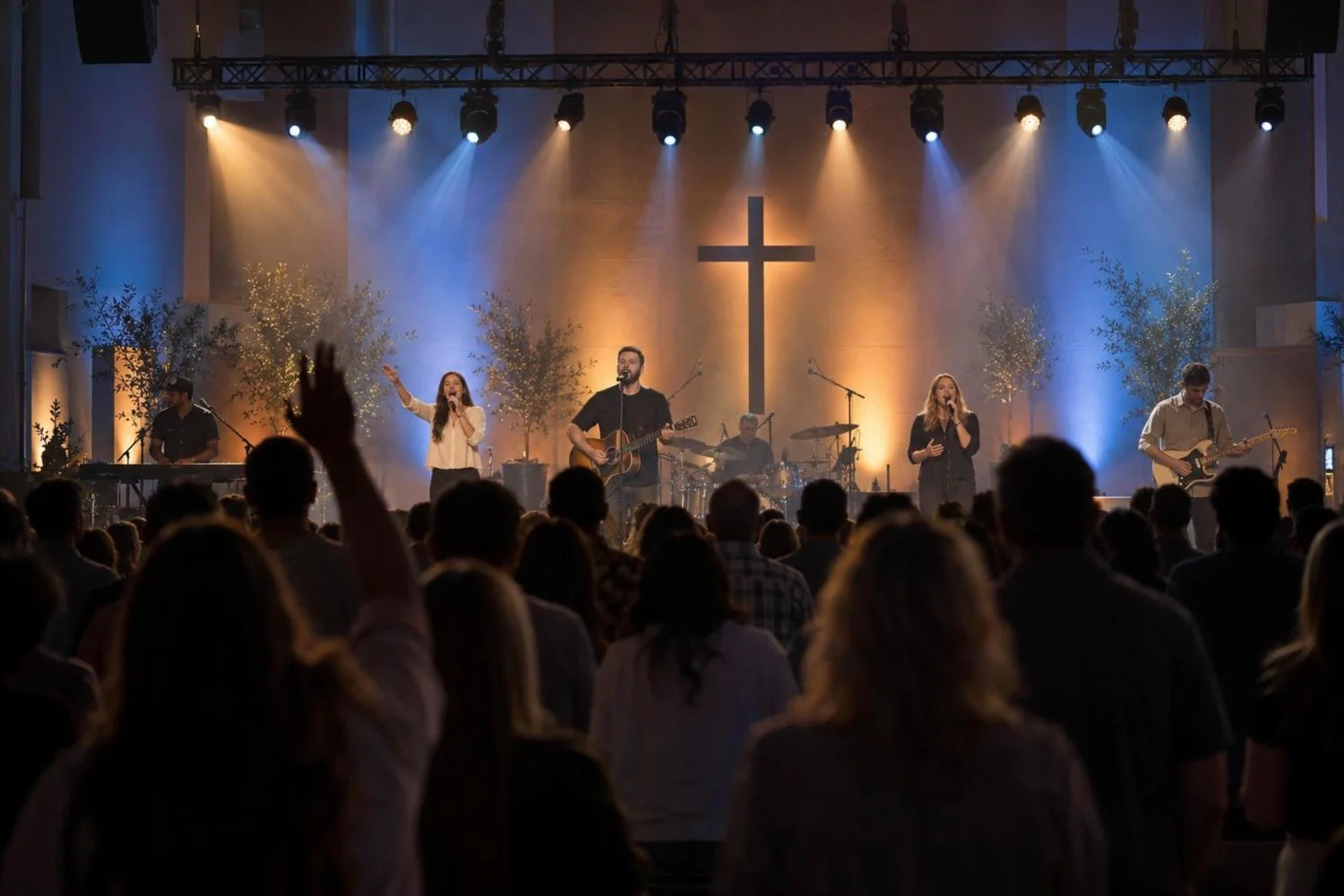
Back light separates people from the background and gives the stage depth. Without it, a well-lit face can still look flat on a livestream. A few fixtures above and behind the stage, aimed at the performers’ heads and shoulders, make a big difference. Side light from the wings adds shape for musicians and dance.
3. Wash and color
Color washes on the stage, set and back wall create the atmosphere: warm and calm for a reflective song, brighter and more saturated for a high-energy set. Modern RGBW or RGBAL LED fixtures can do this with no gels and low power draw. Keep color off faces; color belongs on the set and the back of the room, while faces stay in clean white front light.
4. House and effect lighting
House lights should dim smoothly rather than snap on and off, and the congregation should never be in total darkness (people need to read Bibles and find their seats). Effects such as moving heads, strobes and haze are optional. Haze makes beams visible and adds a lot of depth on camera, but check your fire alarm system first: some smoke detectors will trigger on haze unless the system is set up for it.
Lighting for the room vs lighting for the camera
The human eye adjusts to almost anything. A camera does not. If you stream, plan for these points:
- Color temperature. Pick one white for front light, typically somewhere between 3200K and 5600K, and set every camera’s white balance to match. Mixing old tungsten fixtures with new LED fixtures gives faces two different colors on camera.
- Light level. Faces should be a little brighter than the background so the camera exposes for them. If your LED wall or projection is much brighter than the stage, people on stage will look dark on the stream.
- Flicker. Some cheaper LED fixtures flicker on camera at certain shutter speeds. Test fixtures with your actual cameras before buying a full set.
- LED walls. An LED video wall behind the stage is a light source too. Turn its brightness down for indoor services; full brightness can overpower front light and make the stream look washed out. Our LED walls for churches guide covers sizing and brightness.
Control: keep it simple enough for Sunday
Most worship lighting today runs on DMX, sent over a network as sACN or Art-Net. A single DMX universe controls up to 512 channels, which is enough for a small to medium sanctuary; larger rooms with many moving lights need more universes.
The console or software matters less than how it is set up. The systems that work best for volunteer teams have:
- A handful of saved looks for each part of the service: walk-in, worship, message, response, baptism, dismissal.
- Clearly labeled buttons or a touch screen, so a new volunteer can recall the right look without programming anything.
- A “panic” or house-full preset that brings up safe, even light if anything goes wrong.
We usually program these looks during installation and train the team on them before handover, so Sunday morning is button-pushing rather than programming.
Power, rigging and safety
- Fixtures over the congregation must be rigged to an engineered point or truss with safety cables. This is not a place for improvised hardware.
- LED fixtures draw far less power than older lamps, but plan dedicated circuits for lighting and keep them separate from audio power to avoid noise.
- Run data cable properly (DMX or Ethernet) rather than daisy-chaining long runs of microphone cable, which causes flicker and dropouts.
Common mistakes we see
- Lots of colorful stage wash and moving lights, but not enough clean front light for faces.
- Front light from a single direction, which leaves half of every face in shadow.
- Mixed color temperatures that make the stream look orange in one shot and blue in the next.
- A console so complex that only one person can run it, so the church ends up on one look every week.
- Haze added without checking the fire alarm system.
Where to start on a budget
If you can only do one thing, fix front light first: a pair of good-quality, soft-edged LED fixtures from each side, covering the pulpit and the worship leader. Then add back light for depth, then color wash, then effects. This order gives the biggest improvement for the room and the livestream at every step.
How Unity Logics can help
We design and install lighting as part of complete church AV systems across Southern California, alongside sound systems, live streaming and LED walls. We visit the sanctuary, measure throw distances and angles, plan power and rigging, program looks for each part of your service and train your team on them.
See our church AV installation page, or contact us to schedule a site visit.
Frequently asked questions
How many lights does a small church need?
A sanctuary for 150 to 300 people can often get good results with four to six front-light fixtures, two to four back lights and a handful of wash fixtures for color. The right number depends on stage width, ceiling height and where fixtures can be hung, so measure before buying.
Are LED stage lights good enough for live streaming?
Yes, if you choose fixtures with good color rendering (CRI or TLCI around 90 or higher) and flicker-free output at your camera’s shutter speed. Test a sample fixture on your cameras before committing to a full set.
Can volunteers run a lighting system?
Yes. The key is pre-programmed looks for each part of the service, clearly labeled controls and a short training session. Volunteers should be recalling looks, not programming them live.
Do we need haze?
No, but it adds a lot of depth to the room and the stream. Check with your fire alarm contractor first, since some detector types are set off by haze.