
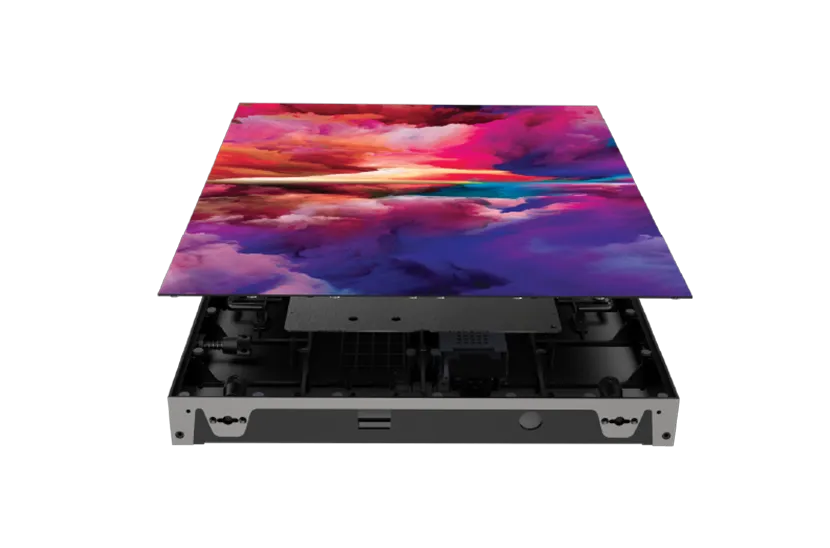
Shop for an LED video wall online and you will find the same headline spec at wildly different prices. One seller offers a P1.9 indoor wall for a fraction of what another charges for a P1.9 of the same size. On paper they look identical. In the room, after a year of use, they usually are not.
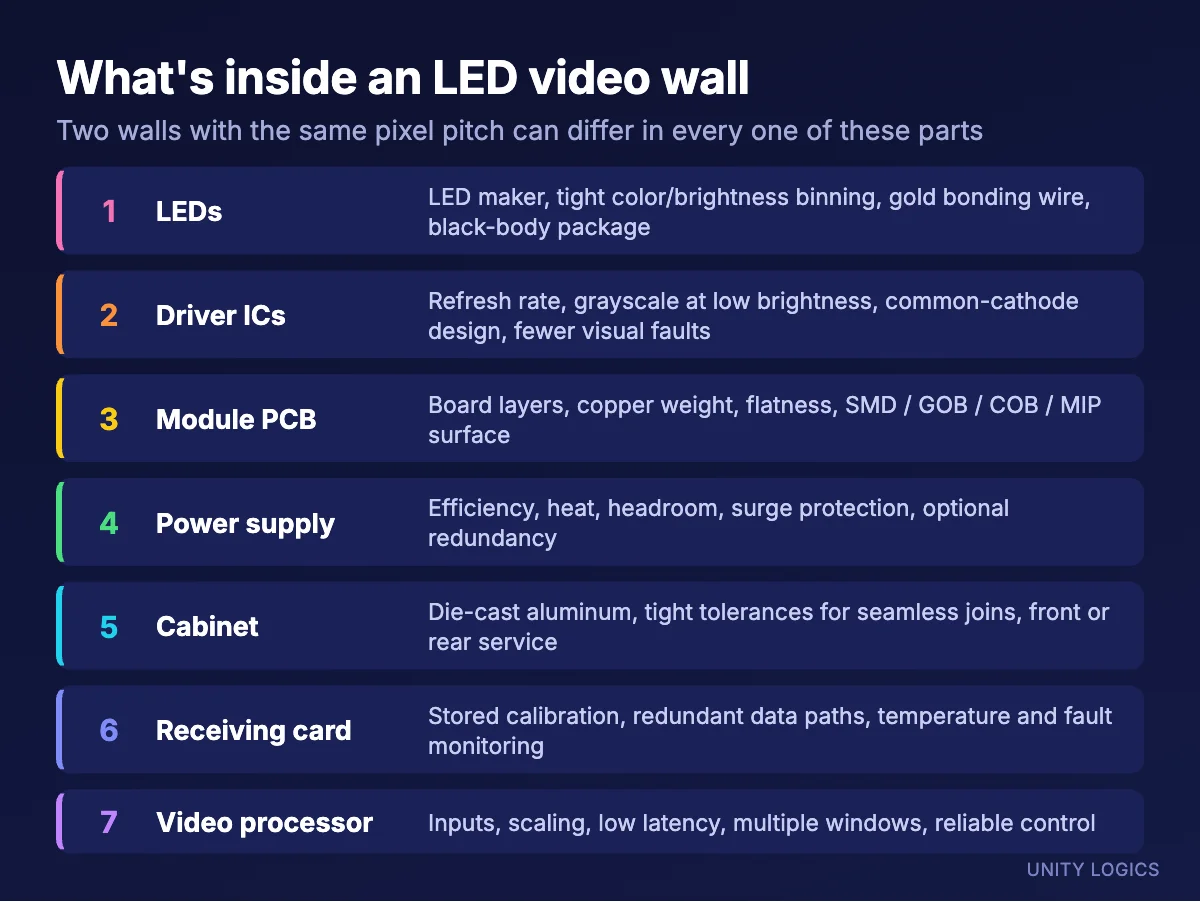
Pixel pitch tells you how far apart the pixels are. It tells you nothing about the quality of the LEDs, the chips that drive them, the circuit boards they sit on, the power supplies, the cabinet or the control system. Those parts decide how the screen looks, how long it lasts and how much trouble it gives you. This guide explains what is under the hood, gives the spec ranges we look for, and shows how to match a screen to its use.
Think of it like building a PC
Two computers can both be called “16 GB, 8-core” and perform very differently, because one uses a quality power supply, a good motherboard and fast storage, and the other cuts corners everywhere you cannot see. LED screens work the same way. A video wall is an assembly of parts, and each one has a cheap version and a good version. The final price is the sum of those choices.
1. The LEDs
Not all LEDs are equal. Established LED makers such as Nationstar, Kinglight and Sinyopto publish their specifications and control their production closely. Cheaper no-name LEDs may use smaller chips, weaker encapsulation and lower-grade bonding wire. Gold bonding wire is the premium choice because it resists corrosion and fatigue. Cheaper alloy or copper wire saves money but is more likely to fail over time, which shows up as dead or flickering pixels.
The LED package also affects contrast. Black-body LEDs and a dark, matte module surface keep the screen looking black when it is off and reduce reflections from room lighting.
2. Choosing the right LED package for your pixel pitch
The pixel pitch is the distance between pixels. The LED package is the physical size of the light source inside each pixel, written as a size code: SMD1010 is about 1.0 × 1.0 mm, SMD1212 is 1.2 × 1.2 mm, SMD1515 is 1.5 × 1.5 mm and so on. The same pitch can be built with different package sizes, and that choice changes how the screen looks.
Take a P1.9 wall. It can be built with SMD1010, SMD1212 or SMD1515 LEDs:
- SMD1515: the most common choice at P1.9. Larger LEDs give more light per pixel, handle heat better and are physically sturdier. Less black space between pixels gives a smoother, fuller image, with slightly lower contrast.
- SMD1212: a balance. More black space between pixels than 1515 for better contrast, with enough brightness for most indoor rooms.
- SMD1010: the most black space and the deepest contrast, but less light per LED, so it has to be driven harder to reach the same brightness. Smaller packages are also more delicate and need more precise manufacturing.
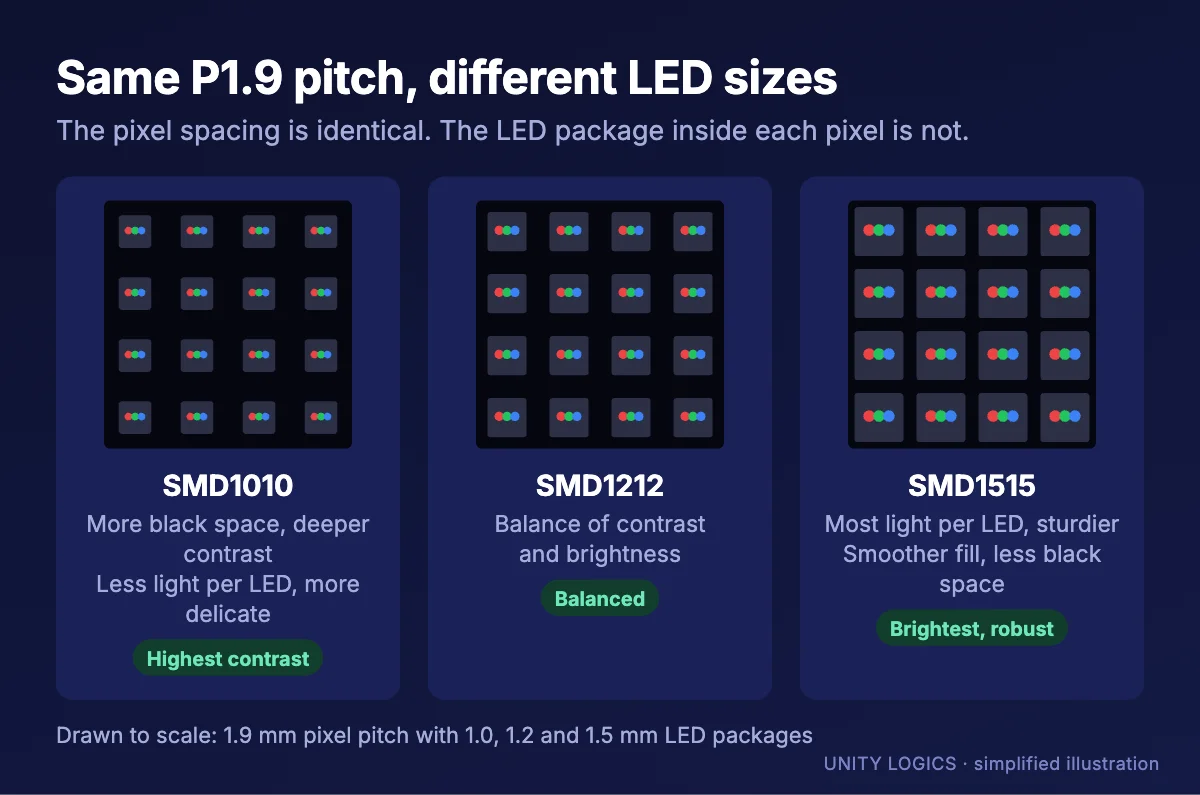
Neither choice is wrong. A dim boardroom where people sit close may favor contrast. A bright lobby or a rental wall that gets handled often may favor the larger, brighter, tougher package. What matters is that the seller tells you which package they used and why.
Typical LED packages by pixel pitch:
| Pixel pitch | Commonly used LED packages | Notes |
|---|---|---|
| P0.9 and below | SMD0606 or smaller, or COB / MIP | Very small LEDs; COB and MIP add protection |
| P1.2 to P1.25 | SMD1010, SMD0808, COB | Fine pitch for close viewing |
| P1.5 to P1.6 | SMD1010, SMD1212, COB | Boardrooms, control rooms |
| P1.8 to P2.0 | SMD1515, SMD1212, SMD1010 | Indoor fixed installs |
| P2.5 to P2.9 | SMD1515, SMD2020 | Indoor install and rental |
| P3.9 indoor | SMD2020, SMD2121 | Larger indoor rooms, rental |
| P2.9 to P4.8 outdoor | SMD1921 | Outdoor-rated, high brightness |
| P5 to P10 outdoor | SMD1921, SMD2727, DIP | Signs and large outdoor screens |
Surface protection is a separate choice from package size. Bare SMD modules are the most affordable. GOB (glue on board) adds a protective layer over SMD LEDs. COB (chip on board) and MIP (micro LED in package) build the LEDs into a tougher, smoother surface that resists knocks and looks better up close. We compare these in detail in our SMD vs COB vs MIP guide.
3. LED binning: matched or assorted
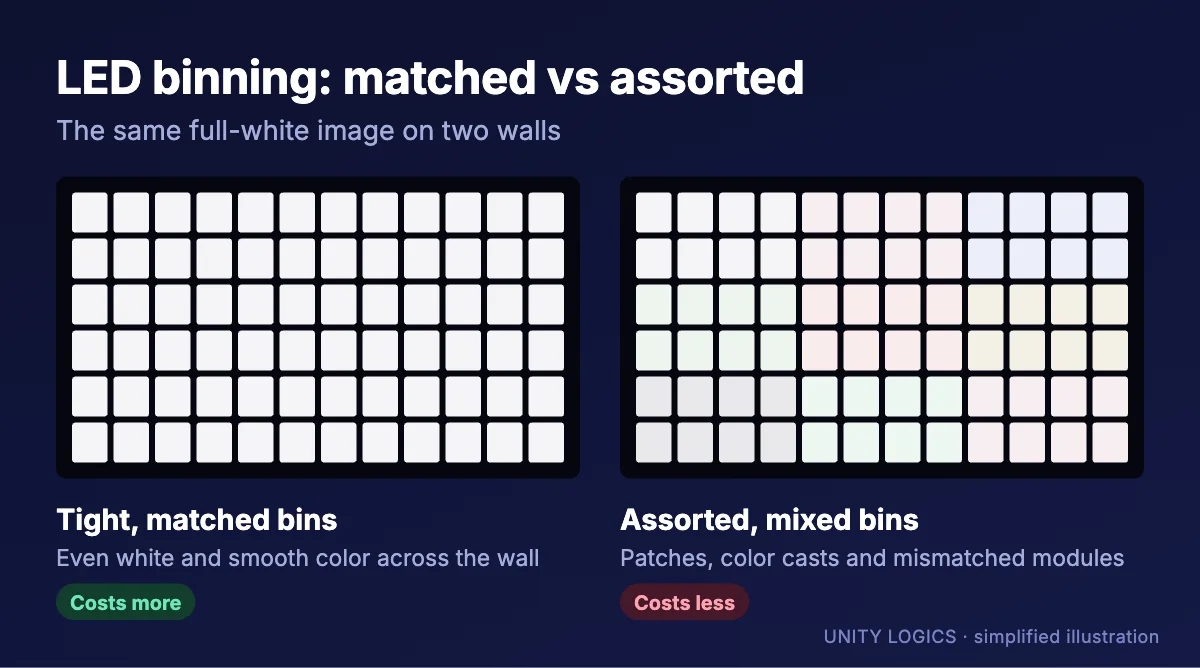
No two LEDs come off the production line exactly alike. Manufacturers measure each one and sort it into “bins” by color (wavelength) and brightness. Buying LEDs from tight, matched bins costs more, because the factory is selling only a narrow slice of its output. Buying assorted or mixed bins is cheaper.
On a screen, the difference is uniformity. Tightly binned LEDs give an even white and smooth color across the whole wall. Assorted bins can leave patches, a slightly pink or green cast in some areas, or modules that look different from their neighbors. Calibration can correct some of this, but it cannot fully fix poorly matched LEDs, and it usually costs brightness to try.
4. Driver ICs: the biggest hidden difference
If there is one component that separates a cheap screen from a great one, it is the driver IC. These chips control every LED with pulse-width modulation (PWM), switching it on and off very quickly to create brightness levels. Better driver ICs, from makers such as Macroblock, Chipone and Sunmoon, offer:
- Higher refresh rates, so the screen does not flicker or show scan lines on camera.
- More grayscale levels, so gradients are smooth instead of banded.
- Good performance at low brightness. Indoor screens often run well below full brightness. Cheap ICs lose grayscale when dimmed, so dark scenes look blotchy and skin tones break up. Quality ICs are designed for “low brightness, high grayscale.”
- Fewer visual faults, such as ghosting, faint “caterpillar” lines, or a dim first row of pixels.
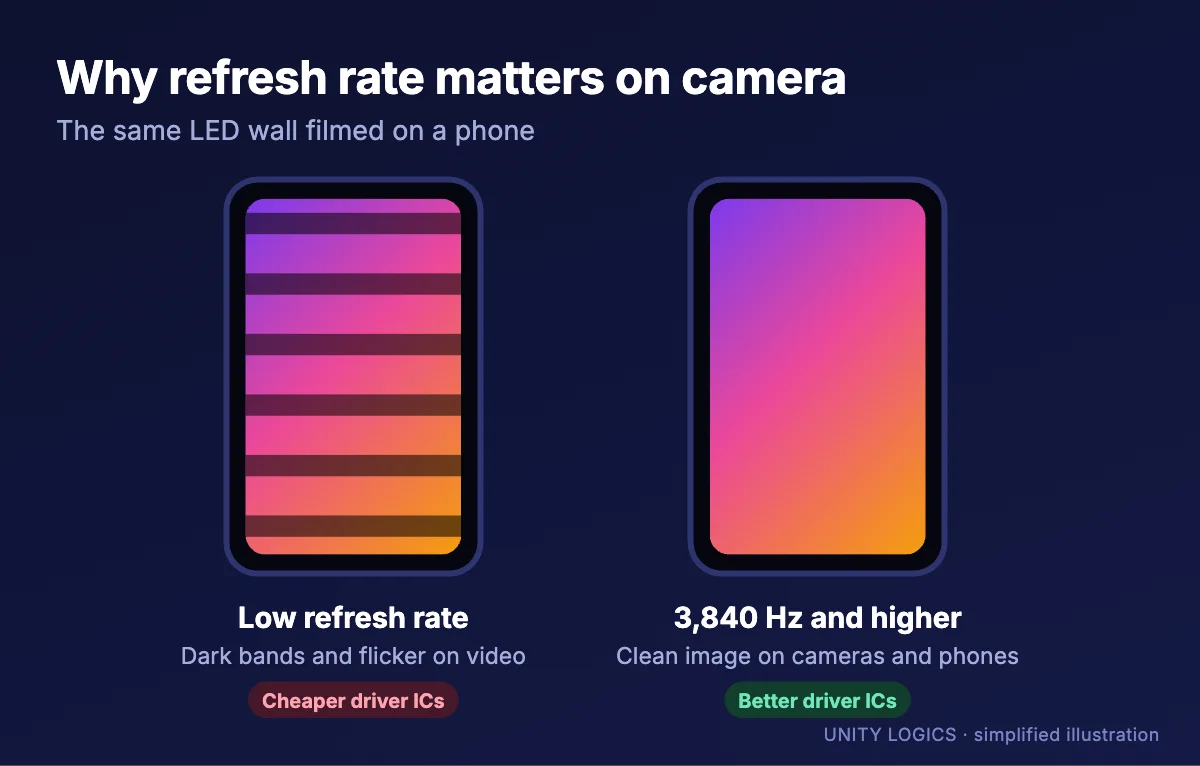
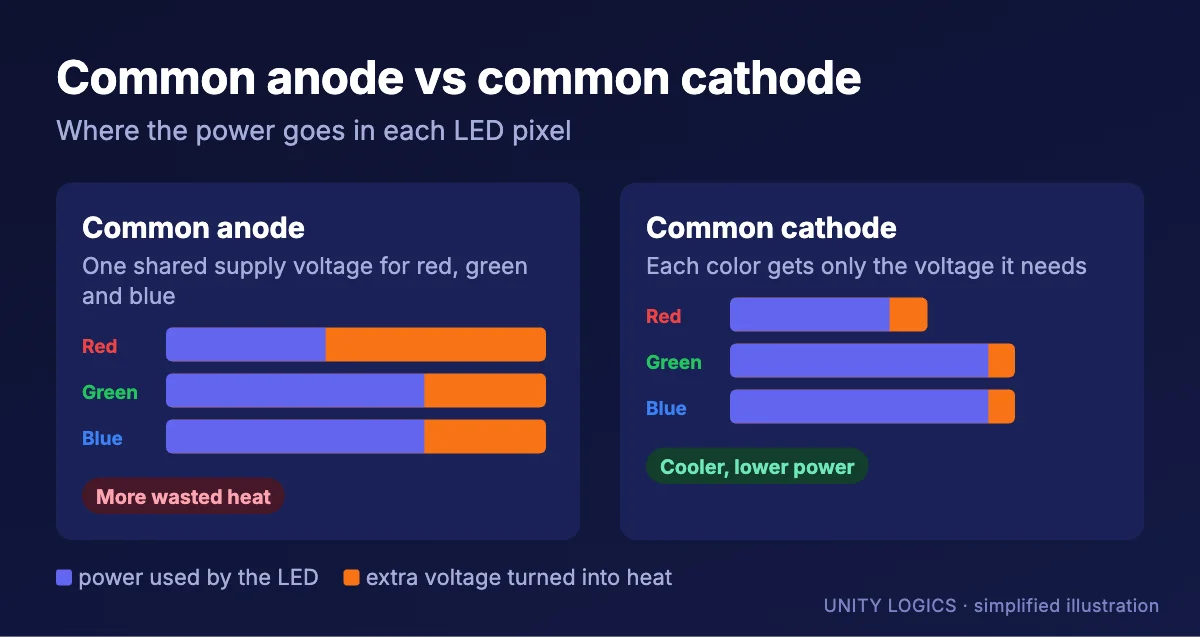
Driver design also matters. Common-cathode designs supply each color with only the voltage it needs, so the screen runs cooler and uses less power than the traditional common-anode design. Lower heat also helps the LEDs last longer and keeps colors stable.
5. Module and PCB design
The circuit board decides how well everything works together. Better modules use more PCB layers (fine-pitch modules typically need four or more), thicker copper for power, high-temperature board material and careful layout so signals stay clean and heat spreads evenly. Precise manufacturing keeps every module flat and the same size, which is what makes seams disappear.
6. Power supplies
The power supply is where cheap screens often fail first. Quality supplies are efficient, run cool, have enough headroom so they are not working at their limit, and include proper protection against surges and overheating. Undersized or low-grade supplies run hot, drift in voltage and cause modules to flicker or go dark. For critical installs, redundant power, where a backup supply takes over if one fails, is worth considering.
7. The cabinet
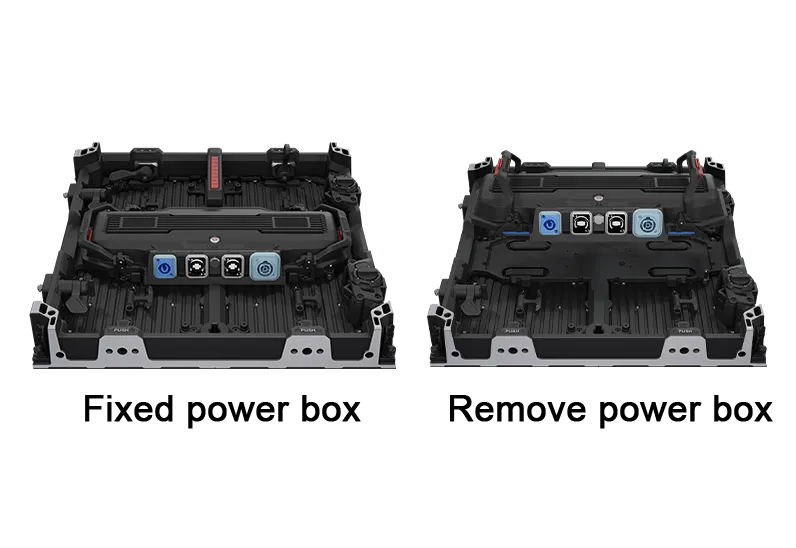
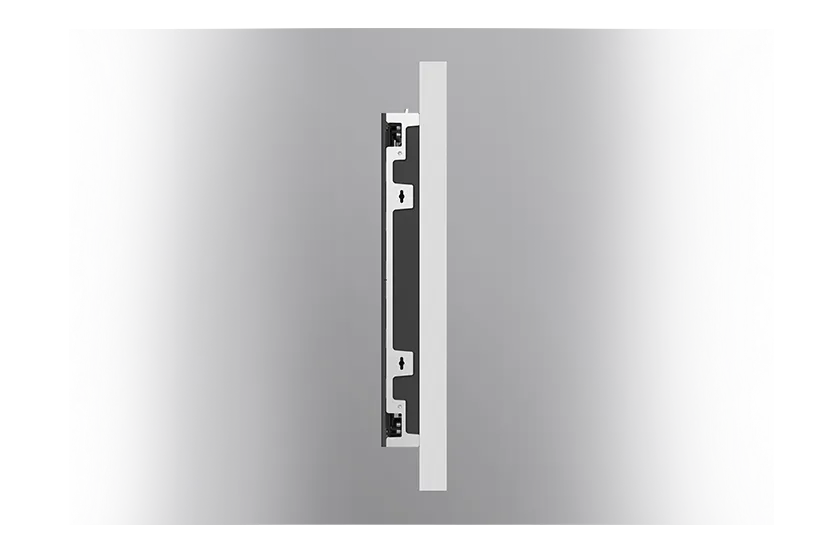
A good cabinet is usually die-cast aluminum, machined to tight tolerances so panels line up with no visible gaps or steps between them. It manages heat, protects the electronics and makes service easy, with front or rear access depending on where the wall is mounted. Rental cabinets add fast locks, corner protection and durable connectors so they survive hundreds of setups. Cheaper cabinets made from bent sheet metal are heavier, less accurate and harder to align.
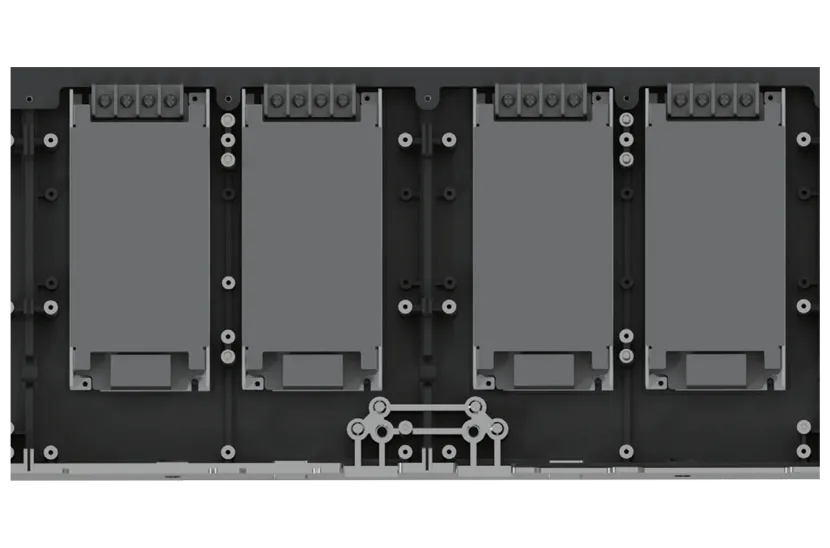
8. Receiving cards, ports and data
Each cabinet has a receiving card that takes its share of the video signal and stores the calibration data for its modules. Established platforms such as NovaStar offer per-pixel calibration, redundant data paths so the image stays up if a cable fails, and monitoring that reports temperature and faults. Quality connectors for power and data, and enough ports for clean cable runs, matter too, especially on walls that are moved or serviced often. The receiving card also has to support the refresh and grayscale features of the driver ICs, or those features go unused.
9. The video processor
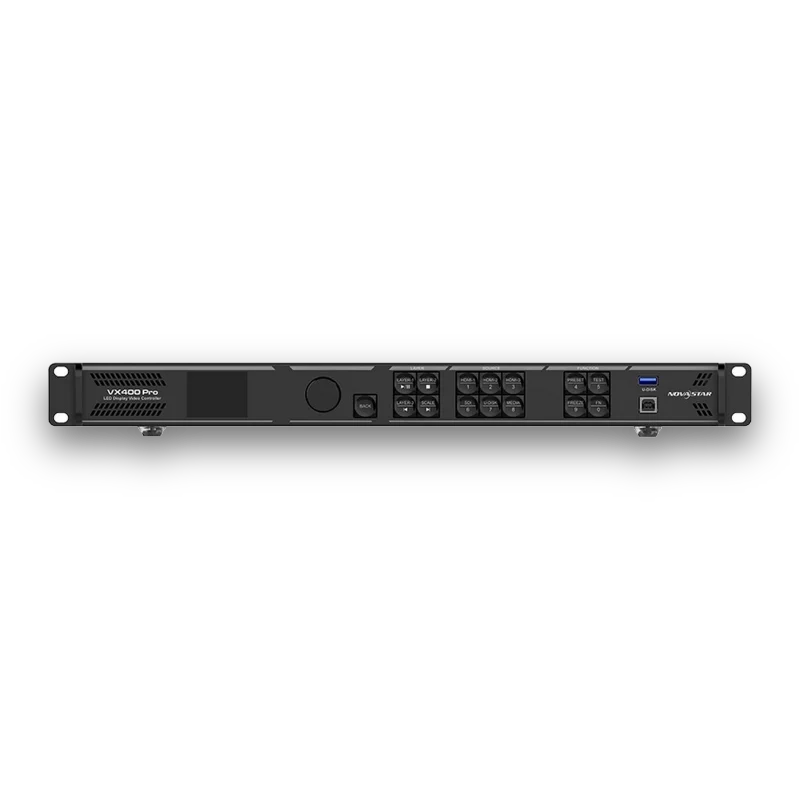
The processor is the brain of the system. It accepts your inputs, scales the image to the exact resolution of the wall, and controls brightness, color and layout. A capable processor gives you clean scaling, low latency, multiple windows and reliable control. For camera work, look for genlock and frame-sync support. Our LED wall packages pair each wall with a matched NovaStar processor, and we also sell processors on their own, such as the NovaStar VX and MX series.
Ideal spec ranges: a cheat sheet
These are the ranges we use when we specify an LED wall. Treat them as guidance; the right number depends on the room and the use.
| Spec | Budget screens often show | Good target | Premium / camera work |
|---|---|---|---|
| Refresh rate | 1,920 Hz | 3,840 Hz | 7,680 Hz or higher |
| Grayscale | 12 to 13 bit | 14 bit | 16 bit, held at low brightness |
| Color gamut | Not stated | About 100% of Rec. 709 | Wider, toward DCI-P3, for broadcast and film |
| Contrast | Not stated or under 3,000:1 | 5,000:1 or better | 10,000:1 or better (black LEDs, COB) |
| Viewing angle | Under 140° | 160° horizontal and vertical | 170° or wider |
| Brightness uniformity | Not stated | 97% or better after calibration | Per-pixel calibrated |
| Cabinet seams | Visible gaps or steps | About 0.1 mm or less | Precision die-cast, factory matched |
| Power supply load | Running near 100% | 20 to 30% headroom | Headroom plus redundant supplies |
| Rated LED lifetime | Not stated | 100,000 hours | 100,000 hours with quality LEDs and cooling |
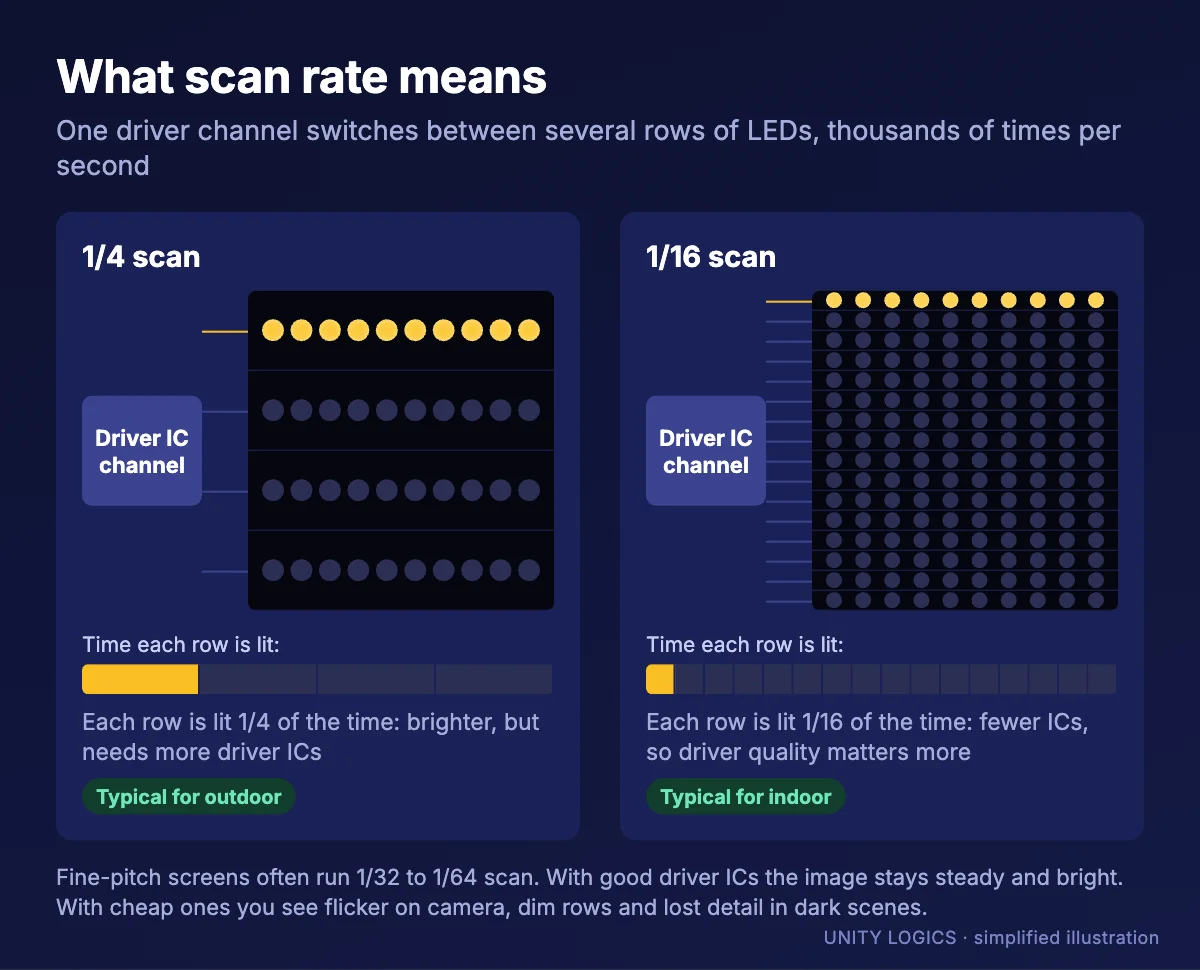
Scan rate does not have one ideal number, because it depends on the pitch and the driver ICs. As a guide, outdoor screens at P4 and above typically run 1/2 to 1/8 scan for maximum brightness, indoor P2.5 to P3.9 screens 1/16 to 1/32, and fine-pitch P1.2 to P2 screens 1/32 to 1/64. Higher scan ratios are normal at fine pitch, but they need high-quality driver ICs to keep refresh rate and low-brightness grayscale up. Ask the seller for the scan rate and how the screen performs at 20% brightness.
Brightness should match the environment. More is not better indoors, because a good screen is dimmed for comfort and a cheap one loses image quality when dimmed:
| Environment | Typical brightness |
|---|---|
| Boardrooms, control rooms | 300 to 800 nits |
| Churches, auditoriums, conference halls | 600 to 1,200 nits |
| Retail and lobbies near windows | 1,500 to 3,000 nits |
| Covered or shaded outdoor | 3,500 to 5,000 nits |
| Outdoor in direct sun | 5,000 to 7,000 nits or more |
Matching the screen to the job
Every use case puts different demands on the components. These are the starting points we use:
| Use | Typical pitch | Priorities |
|---|---|---|
| Church sanctuary | P1.9 to P3.9 | Smooth low-brightness grayscale, 3,840 Hz for live streaming, quiet operation, easy service |
| Boardroom or conference room | P0.9 to P1.6 | Close-viewing image quality, seamless flat cabinets, front service, COB or fine SMD |
| Broadcast, film and XR studios | P1.5 to P2.6 | 7,680 Hz, wide color gamut, genlock, black LEDs, precise calibration |
| Rental and touring events | P2.6 to P3.9 indoor, P3.9 to P4.8 outdoor | Rugged cabinets, fast locks, corner protection, curve options, consistent batches |
| Retail windows and lobbies | P1.5 to P2.5 | High brightness near glass, ambient light sensor, long daily run times |
| Outdoor signs and billboards | P4 to P10 | 5,000 nits or more, IP65 weather sealing, heat management, remote monitoring |
| Control rooms | P0.9 to P1.5 | 24/7 rated parts, redundant power and data, low brightness without color shifts |
Viewing distance sets the pitch. A common rule of thumb puts the comfortable viewing distance in feet at about 8 to 10 times the pitch in millimeters, and the minimum at about 3 feet per millimeter. A P1.9 wall therefore looks its best from about 15 to 19 feet, and still looks good from around 6 feet for video. Our pixel pitch guide and LED wall calculator go into more detail.
So why does one P1.9 cost more than another?
Put the pieces together and the price gap makes sense. The more expensive screen typically uses branded LEDs from tight bins with gold wire, a package size chosen for the room, better driver ICs with higher refresh and real low-brightness grayscale, a better PCB, quality power supplies with headroom, a precision die-cast cabinet, a proven receiving card and processor, and factory calibration. The cheaper screen saves a little on each of those, and the savings add up. You often cannot see the difference on day one. You see it under camera, when the screen is dimmed for a dark room, when a module needs replacing and the new one does not match, or after a few years of use.
Brand-name quality without the brand-name price
Large display brands like Samsung, LG and Sony build excellent LED walls, and part of their price pays for their brand, their sales channels and their proprietary software and service networks. Much of the performance comes from the same kinds of decisions described above: top-grade LEDs, tight binning, strong driver ICs, careful board design, quality power and precise cabinets.
That is the approach we take. Like building a PC from carefully chosen parts, we specify each component for the job, so you can get excellent image quality and reliability for considerably less than a brand-name wall. Brand-name walls still make sense for some buyers, for example when a company standard or a specific service agreement is required, and we are happy to talk through that choice honestly.
Questions to ask any LED screen seller
- Which LED manufacturer and package size, and what binning?
- Gold or alloy bonding wire?
- Which driver ICs, and are they common-cathode?
- What is the refresh rate, and at what grayscale?
- What scan rate are the modules, and how does the screen look at 20% brightness?
- What color gamut and contrast, and how were they measured?
- What brand and rating are the power supplies, and how much headroom do they have?
- Is the cabinet die-cast aluminum, and is it front or rear serviceable?
- Which receiving cards and processor are included?
- Is the wall factory calibrated, and are spare modules from the same batch included or available?
- What warranty and local support do you offer?
A seller who answers these clearly is usually selling a screen they are confident in. A seller who only talks about pixel pitch and price is telling you something too.
How we can help
We build and install LED video walls with components chosen for each application, and we publish our prices. For example, our P1.95 indoor packages start at $21,600 for a 9.8 × 6.6 ft wall, including the panels, NovaStar processor, mounting hardware and cables. Browse our LED wall packages and LED screens, read how much an LED wall costs, or send us a competing quote and we will walk you through what is inside each option. A free site survey is the best place to start.